
SERVIO offers integration with RPO software.
This is a virtual fiscal register that fully replaces a conventional physical one. A software-based fiscal register is a piece of software that fully performs the functions of a fiscal register – carrying out fiscal transactions and generating virtual fiscal receipts. However, it offers a very important advantage. Unlike a traditional cash register, the software-based version immediately records all transactions with the State Tax Service, storing them on a fiscal server.
Order calculationWho needs a software RPO?
To all entrepreneurs (except SPD of the first group) who still do not use fiscal registrars. Those who already use traditional PPOs can switch to software PPOs. This is especially important for those whose fiscal registrar is nearing its end of life.
Why you should choose a software RPO
- there are no high costs involved in purchasing a physical cash register, which is important for businesses with a low turnover;
- no costs for regular maintenance;
- there is no need to buy a new physical fiscal register every seven years.
Features of the software RPO
A software RPO requires a constant online connection to the fiscal server. If the connection is lost, it is possible to continue operating offline for a further 36 hours, provided the State Tax Service has been notified in advance. In practice, this is always more than enough time to re-establish the connection.
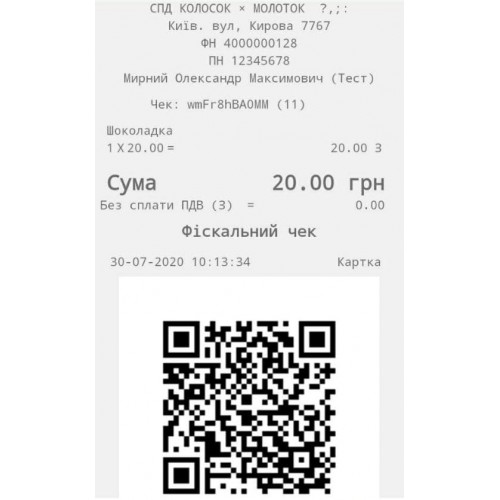
A software RPO does not issue a traditional paper fiscal receipt confirming the purchase of goods or services. However, this issue is easily resolved by generating a QR code or barcode that identifies the purchase.
We’ll go into more detail about this below.
Reliability of the software RPO
The SRPO function is built into the SERVIO software itself. Therefore, when calculations are carried out, the programme automatically sends receipts to the tax authorities without any involvement from staff. This is important as it minimises errors and the so-called human factor. There is no risk of losing a receipt – they are all stored electronically in the database, even when there is no internet connection.
Customers will encounter some changes when using the software-based cash register. Instead of a paper fiscal receipt, they will receive a QR code or barcode, which will link to the relevant document in the ‘Electronic Tax Service Portal’.
We currently offer several options for generating QR codes:
- The first option is to use printers that issue non-fiscal receipts featuring a QR code. This option is ideal for businesses with a high volume of customers who do not require prior registration or identification. Examples include restaurants, cafés, cinemas, entertainment centres, water parks and so on.
- The second method is to send an electronic receipt by email. This method works well in establishments where guests or customers have pre-registered – such as hotels, hostels, guesthouses, health resorts, spa clubs, fitness centres, beauty salons, etc.
Another option will also be available shortly – sending an electronic receipt via SMS or Viber to the customer. We will provide further details once this is up and running.
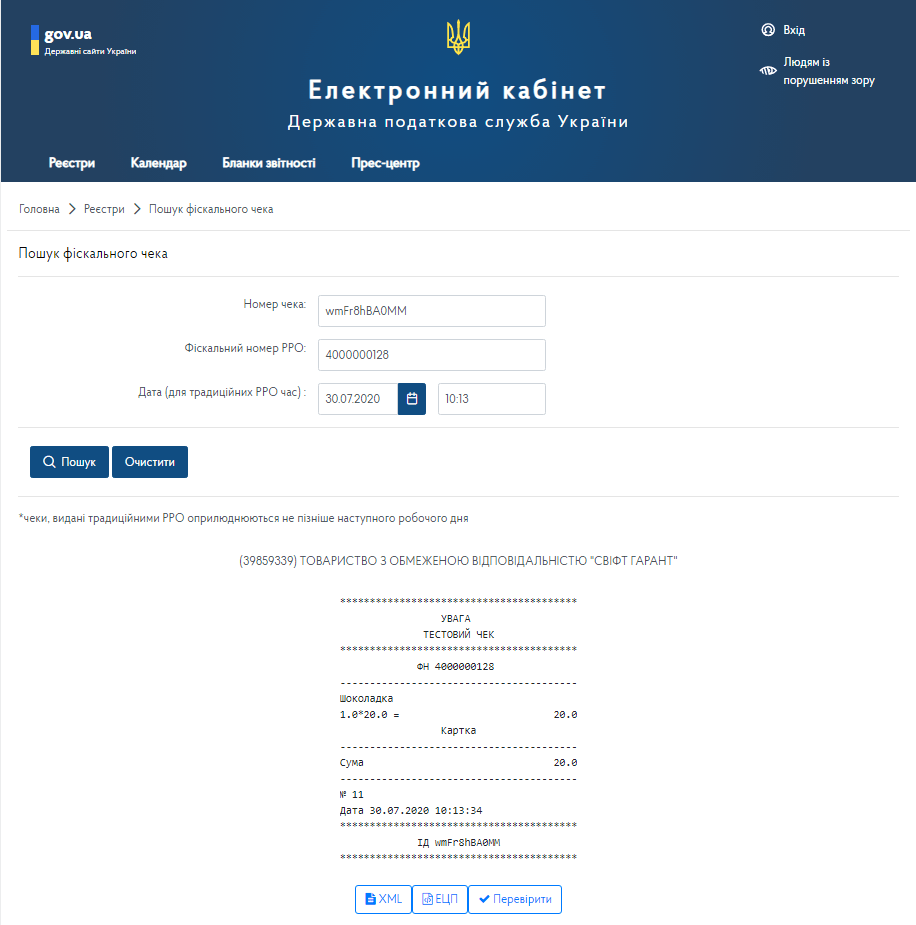
Step-by-step instructions on how to implement software-based RPO in your enterprise
We went all the way from conducting a transaction to its registration to clearly show how it works and what steps need to be taken for an enterprise to switch to software-based RPO.
The main action takes place in electronic account of the tax service
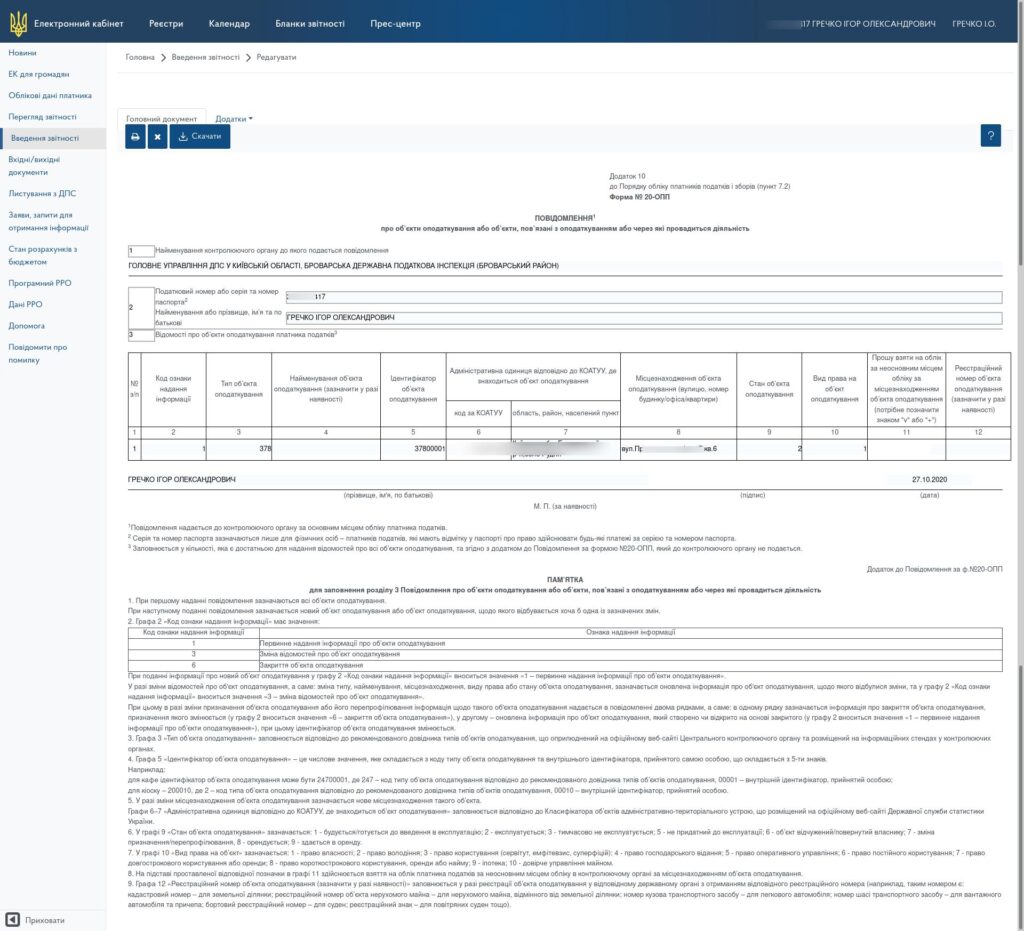
STEP 1. We create (check) the taxation object to which the software PPO will be connected.
From this section, you must take data on the tax object identifier and the address of the object when requesting registration of the tax return in the next step.
STEP 2. We apply for registration of a software RPO.
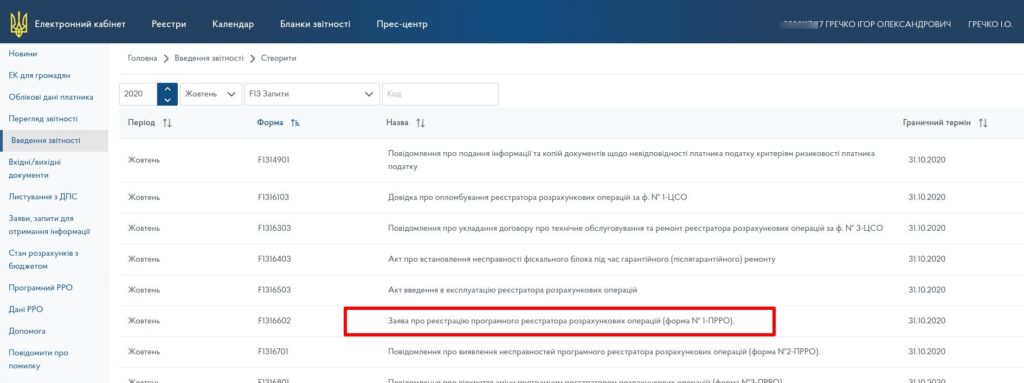
To do this, in the “Reporting” section, click the create a new query button.
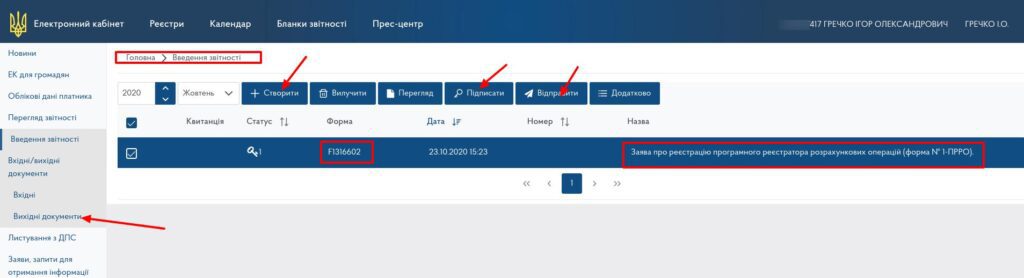
Select application template No. 1-prro (form J / F 1316602) and click “Create application”.
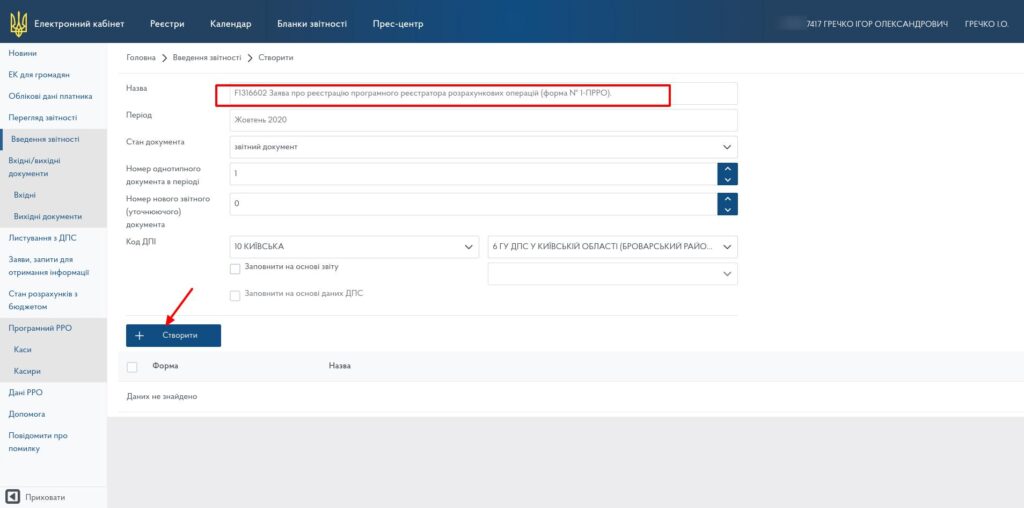
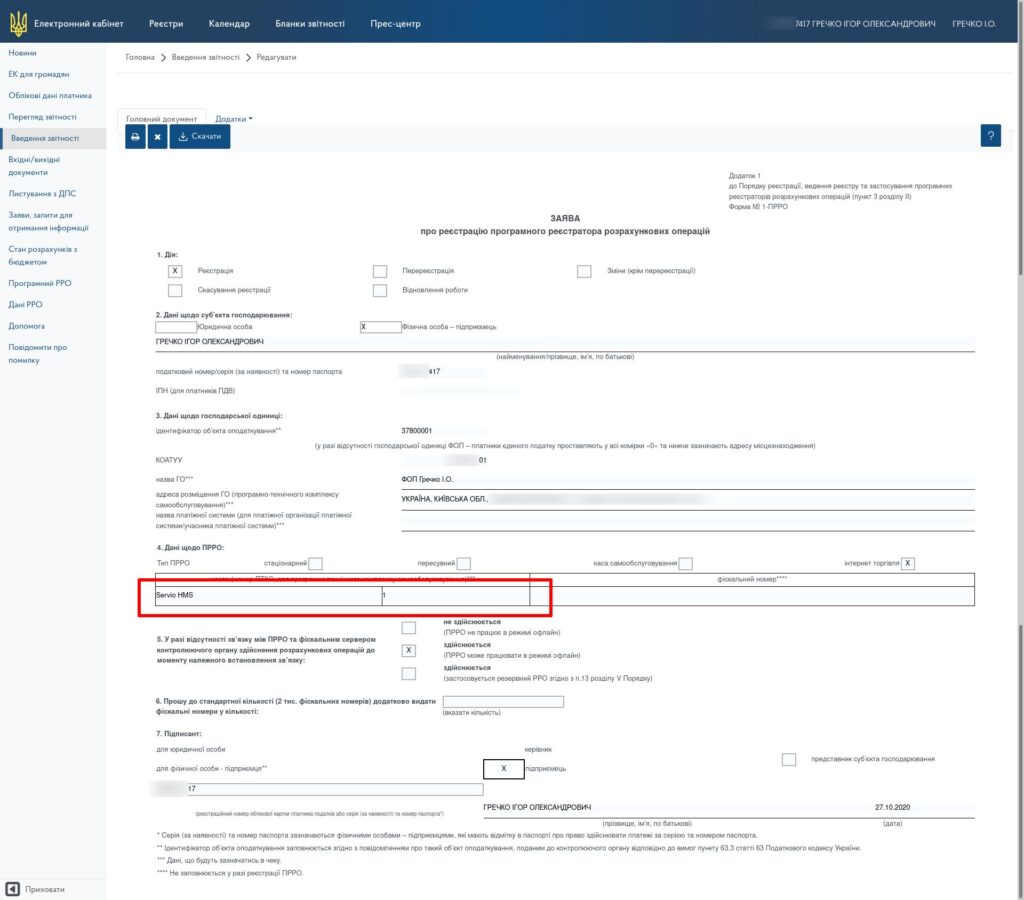
We fill out the form, indicating the name of the future cash desk and its local number in the fields for the name and number of the PKTS. We fill in all other fields according to the requirements for registration of the RRO, be sure to adhere to the exact name of the address and code according to the KOATUU for successful registration of the application.
STEP 3. Register the app and connect to the SERVIO program.
Register the software RPO with the previously received details and data package for signing checks (certificate, key, password). This stage is also related to setting up cash registers in cash register systems and takes place with the participation of the SERVIO support service.
The specifics of obtaining certificates and keys depend on the authorization, and if you have any questions, please contact the appropriate organization.
To connect the software PPO, you must have HMS version 05.012.142 and higher installed, an updated POS. The update is carried out within the framework of a service agreement. The cost of connection, further terms of service, as well as applications for connection, please send to the commercial department: sales@servio.com.ua.
The support service performs the configuration of the program in the SERVIO program: help@servio.support.
How to connect a PRRO? Step-by-step instructions
To apply for a PRRO connection, write to us at help@servio.support
EXAMPLE:
In the subject of the letter: Connection of the PRRO (Dolce Vita Complex)
In the text: We are sending a request to connect the PRRO for the project
1) We will pay for the interface for working with the PRRO from:
Individual entrepreneur Ivanov Petro Leonidovich, code 1234567890
2) The number of required PRROs is 2 pcs.
– restaurant FOP Ivanov Petro Leonidovich
– hotel receptionist, FOP Ivanova Lyubov Vadymovna, code 234567890
Contact number for communication
+38 ___ – __ – __
Peter
In response, you will receive an invoice and information on further actions.
Integration of Software RRO with Business Processes
A cash register operator is a useful part of a unified digital business ecosystem. That is why the software RRO in SERVIO is designed with a focus on deep integration with the company's internal processes: from the cash register to accounting and management analytics. This approach minimizes manual work and provides data for decisions in real time.
The key advantage is that software RRO does not exist «on its own», but works in conjunction with accounting and management systems:
- Integration with accounting systems. Software RRO interacts correctly with SERVIO POS, 1C, and BAS. Sales, returns, discounts, and payments are automatically synchronized without data duplication.
- Automatic data transfer to the state tax service. After a transaction, information immediately enters the accounting system. This significantly simplifies fiscalization and reduces the risk of errors due to the «human factor».
- Analytics and management reporting. Data from the cash register generates detailed and clear reports, giving the manager a comprehensive overview of the business.
Thanks to this architecture, working with software RRO becomes a logical part of daily operations rather than a separate obligation. Installing RRO provides the business with control, speed, and transparency without the need to maintain a physical fiscal registrar for each cash register. This is exactly the case when technology does not complicate processes but makes them simpler and more predictable.
Автор статті: Анна Петрушко finmanager